About Backroom Exit
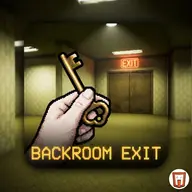
Backroom Exit places you inside a first-person maze of yellow walls and seemingly endless corridors. The goal is to escape, but the route is built around searching rather than simply walking forward. Hidden objects and clues help reveal how the environment works, while the unsettling emptiness makes every discovery feel significant.
Solving the escape requires connecting clues, combining objects, and working out how to unlock the door to freedom. You can explore with keyboard movement and turn the view with the mouse, while an inventory lets you manage useful items. Touch controls are also available through a joypad, hand button, and swipe-based interaction.
How to Play Backroom Exit
Move with WASD or the Arrow Keys, then use the mouse to rotate your view.
Left click to interact with objects and investigate possible clues.
Use the mouse wheel to swap inventory items, or select an item to equip it.
On touch devices, move with the joypad and interact with the hand button.
Search for objects, combine them when useful, and solve the puzzles blocking the exit.
Tips & Tricks
- 1Inspect corridors and surroundings carefully because important objects may be hidden in the empty-looking space.
- 2Keep track of inventory items and try combinations when a clue suggests they belong together.
- 3Equip the item you need before interacting with a door or object, rather than relying on the wrong inventory selection.
Game Info
- Category
- Puzzle
- Platform
- Web browser
- Price
- Free
- Added
- Oct 24, 2026
- #Escape
- #Room
- #Unity3D